Organising your child’s school lunches should be simple. That’s why The Easy Lunch Company uses SchoolGrid, an online school meal booking system that gives you an easy way to see what’s on the menu, choose the meals your child will enjoy and manage your bookings.
Once your account is set up, you can log in, browse upcoming menus and make your choices in advance, helping us make sure each fresh, balanced meal reaches the right child at lunchtime.
In this guide, we’ll explain how booking school meals works on SchoolGrid, from activating your account to updating an order if plans change.
If you have any questions about ordering meals or need a little support getting started, Emma is always happy to help. You can call 01403 741177 or email info@theeasylunchcompany.co.uk.
Getting started with SchoolGrid
When your child joins a school catered for by The Easy Lunch Company, you’ll receive an email from SchoolGrid inviting you to activate your account. Follow the instructions in the email, register your details, and complete the required information.
Once you’re set up, you can then access SchoolGrid through our website and log in whenever you need to manage your child’s school meals.
Your account gives you one place to:
- View upcoming school lunch menus
- See ingredients and nutrition information
- Choose and book meals
- Check your existing bookings
- Add credit where payment is required
- Amend or cancel pre-ordered meals before the deadline
It’s designed to make the whole process as easy as possible. For more information, please visit our ‘How It Works‘ page.
How to book a school meal on SchoolGrid
While the school will arrange meals for children who have opted in, if you would like to guarantee a particular meal choice, please book online using SchoolGrid.
- Log in to your SchoolGrid account.
- Select ‘Order Meals’ from the top menu.
- Open the relevant week to view the available school lunch menu.
- Select your child’s preferred meal from the options shown for each day.
- Repeat the process for any other days you would like to pre-order.
- Check your selections before leaving to make sure the meals have been saved. The day’s title bar will turn green once your choice has been recorded.
- Once your selection has been saved, you can cancel or remove your order within the booking deadline.
If you’re booking together with your child, it can be a nice opportunity to look through the week’s menu and choose the meals they’re most excited about.
Choosing school lunches your child will enjoy
We know that choosing lunch isn’t just about ticking something off your list. Children are much more likely to look forward to lunchtime when there’s something on the menu that they really enjoy.
When you log in to SchoolGrid, you can see the available meals and select the option you think your child will be happiest eating.
Our school meals are planned especially with children in mind. We offer a varied menu, with three choices normally available each day for students:
- A standard meal
- A vegetarian option
- A jacket potato with a filling
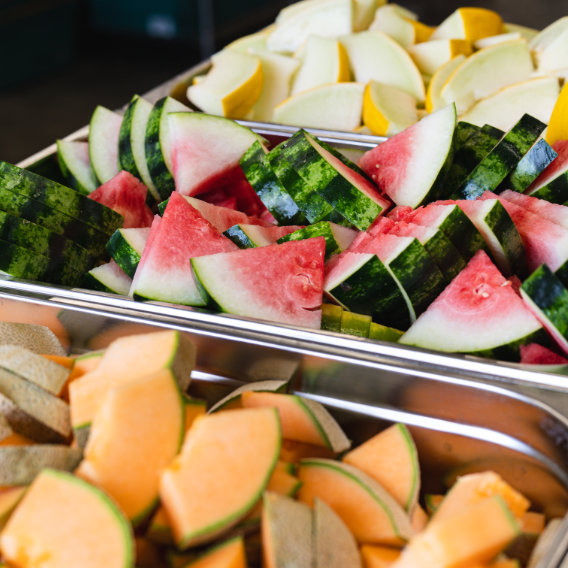
Meals are served with vegetables or salad, alongside fresh bread and milk, with a homemade pudding or fruit and yoghurt to finish. For KS2 pupils, a packed lunch option is also available.
Sitting down together to look at the menu can be a good way to involve your child in the choice and find the dishes they’re most looking forward to trying.

When do school meals need to be booked?
All pre-ordered meals need to be booked through SchoolGrid by 11:59pm on Tuesday for the following week. You can also change or cancel your selections through the system up until the deadline.
It can help to make school meal booking part of your weekly routine. Taking a few minutes to look through the following week’s menu together means the job is done in advance and your child knows what they have to look forward to. To save even more time, you can also book up to a whole term in advance.
Child with allergies or special dietary requirements
Every child should be able to enjoy lunchtime feeling happy and included. If your child has an allergy, intolerance or another special dietary requirement, please speak to us before booking their meals so we can understand your child’s individual needs and make the right arrangements.
You will be asked to complete a Special Dietary Request Form with information about the allergy or intolerance and its severity. We’ll also require a photograph of your child and a supporting medical letter from their doctor or consultant.
This process helps our kitchen and serving staff identify children correctly and provide suitable meals safely.
What happens if plans change after you’ve booked?
Family life doesn’t always go exactly to plan, so changing a meal booking is straightforward.
If you know in advance that your child won’t need their meal, perhaps because they have a school trip or day out, you can cancel the booking through SchoolGrid by 11:59pm on the Tuesday the week before. You then won’t be charged for that meal.
If your child is unexpectedly unwell and cannot attend school, please contact us by 9am that morning. We can then credit the meal back to your account if applicable.
If you’re unsure what to do, please get in touch. Our team is always happy to talk things through.
How does payment for school meals work?
Whether you need to pay depends on your child’s age and eligibility for free school meals. Pupils in Reception, Year 1 and Year 2 are entitled to Universal Infant Free School Meals, which means their lunches are provided free of charge.
Children in other year groups who qualify for Free School Meals will also have their meals provided without payment. For children in Years 3–6 who are not eligible for free school meals, you’ll need to make sure there is enough credit in your SchoolGrid account before you can book.
If your child receives Free School Meals and you have any issues, please contact Easy Lunch to ensure your account is set to the correct setting
From your SchoolGrid order to lunchtime
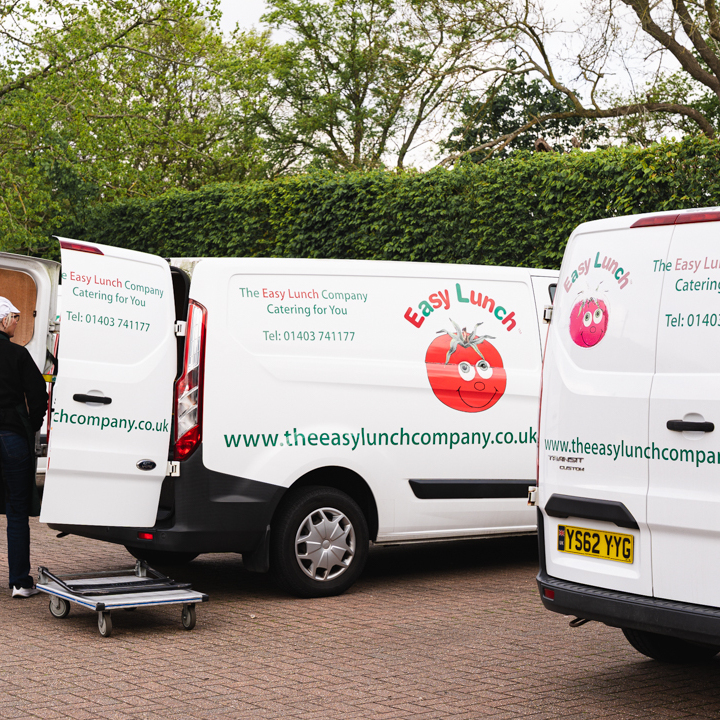
SchoolGrid handles the booking, but there are plenty of friendly faces behind every meal you select. Our team prepares fresh school lunches in our kitchen in Coolham, using quality ingredients and recipes designed specifically for children.
From there, we deliver the meals to the schools we cater for across West Sussex, ready for our team to serve at lunchtime. You can find out more about our food and menus if you’d like to see what goes into the lunches we provide.
Summary – school meal booking made easy
Booking school meals through SchoolGrid means you can see the menu, choose your child’s meals and manage everything in one place.
Simply activate your account, log in through our website and select the meals your child would like. Remember to complete your booking by 11:59pm on Tuesday for the following week and beyond, and make sure you have sufficient credit available if payment is required.
If your child has allergies or special dietary requirements, please contact us before placing an order so we can make sure everything is properly arranged.
Once you’ve booked, you can leave the rest to us. Our team will prepare, deliver and serve a fresh lunch ready for your child to enjoy during their school day.
Book your child’s fresh school lunches
Ready to choose your child’s lunches? Book meals through SchoolGrid and select the options they’ll most enjoy.
If you have any questions about SchoolGrid, meal bookings or your child’s lunch arrangements, contact Emma on 01403 741177 or at info@theeasylunchcompany.co.uk for further information.
Frequently asked questions
Yes. You can amend or cancel a pre-ordered meal through SchoolGrid up until 11:59pm on Tuesday for the following week. If your child is unexpectedly unwell on the day, contact The Easy Lunch Company by 9am, so you will not be charged
Whether your child can bring a packed lunch from home will depend on your school’s individual policy. Please check with the school directly for further information.
If you’re having issues with your account, payment or ordering meals, please contact us. We’re always happy to assist and help you understand what you need to do.